Clusters
The Clusters page is the inventory of everything ARGUS watches, with the health of each agent connection.
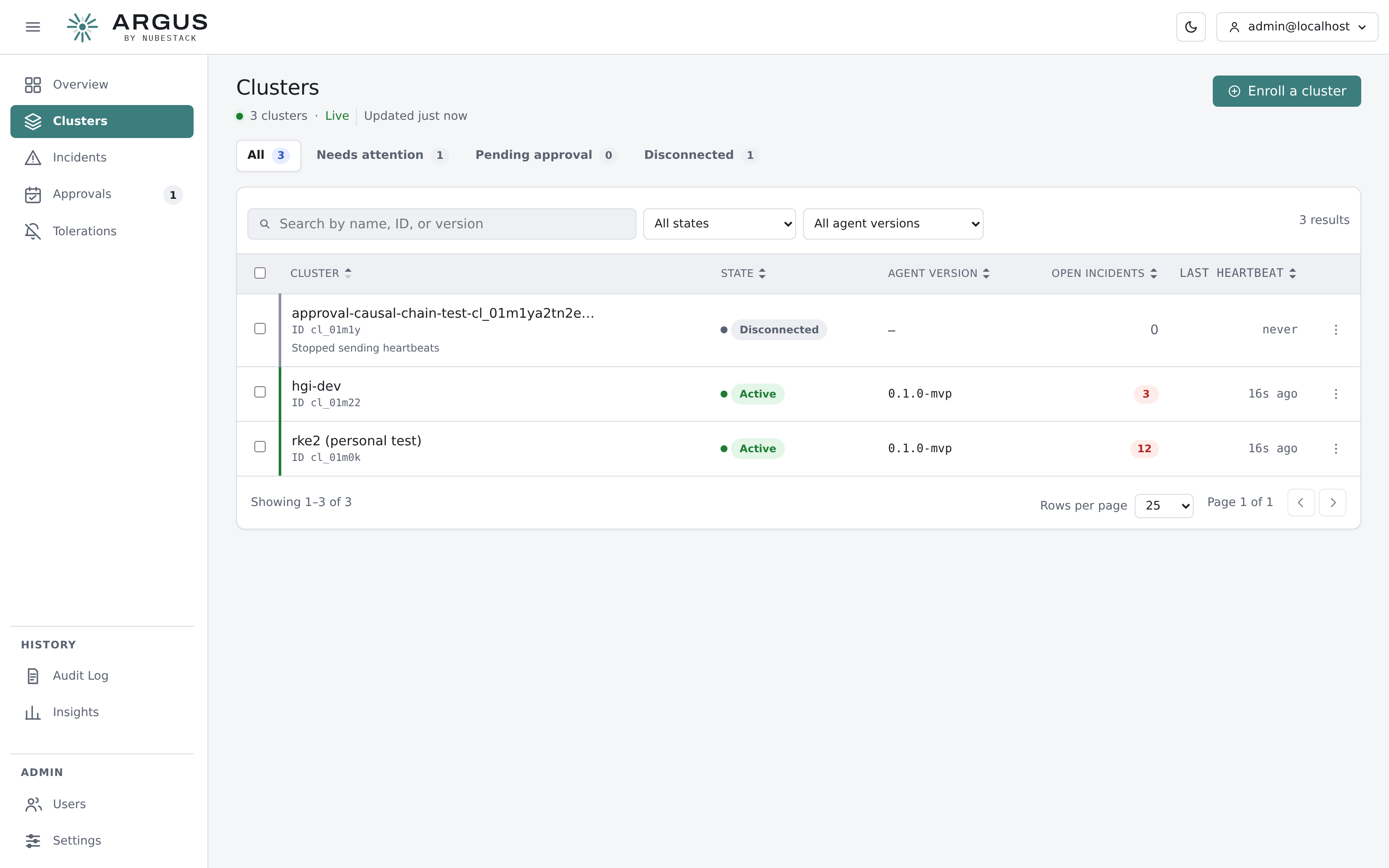
Counters above the table pick out clusters needing attention, pending approval or disconnected. Filters cover state and agent version.
What the list tells you
| Column | Meaning |
|---|---|
| Cluster | The display name given at install, and the cluster's identifier |
| State | Where the connection stands. See Cluster states |
| Agent version | The agent build running there, so a straggler is visible |
| Open incidents | How many incidents are currently open for that cluster |
| Last heartbeat | When the agent last reported. Agents heartbeat every 30 seconds |
Accepting a cluster
A newly enrolled cluster arrives pending. Accepting it is what allows its tunnel to carry data, and it exists as a separate step on purpose: it is the moment to confirm the cluster that just connected is the one you meant to connect.
Rejecting a cluster refuses it without deleting the record.
Cluster detail
Open a cluster for its inventory and configuration: node status and capacity, the resource kinds the agent discovered and is permitted to read, its remediation scope, and its detection settings.
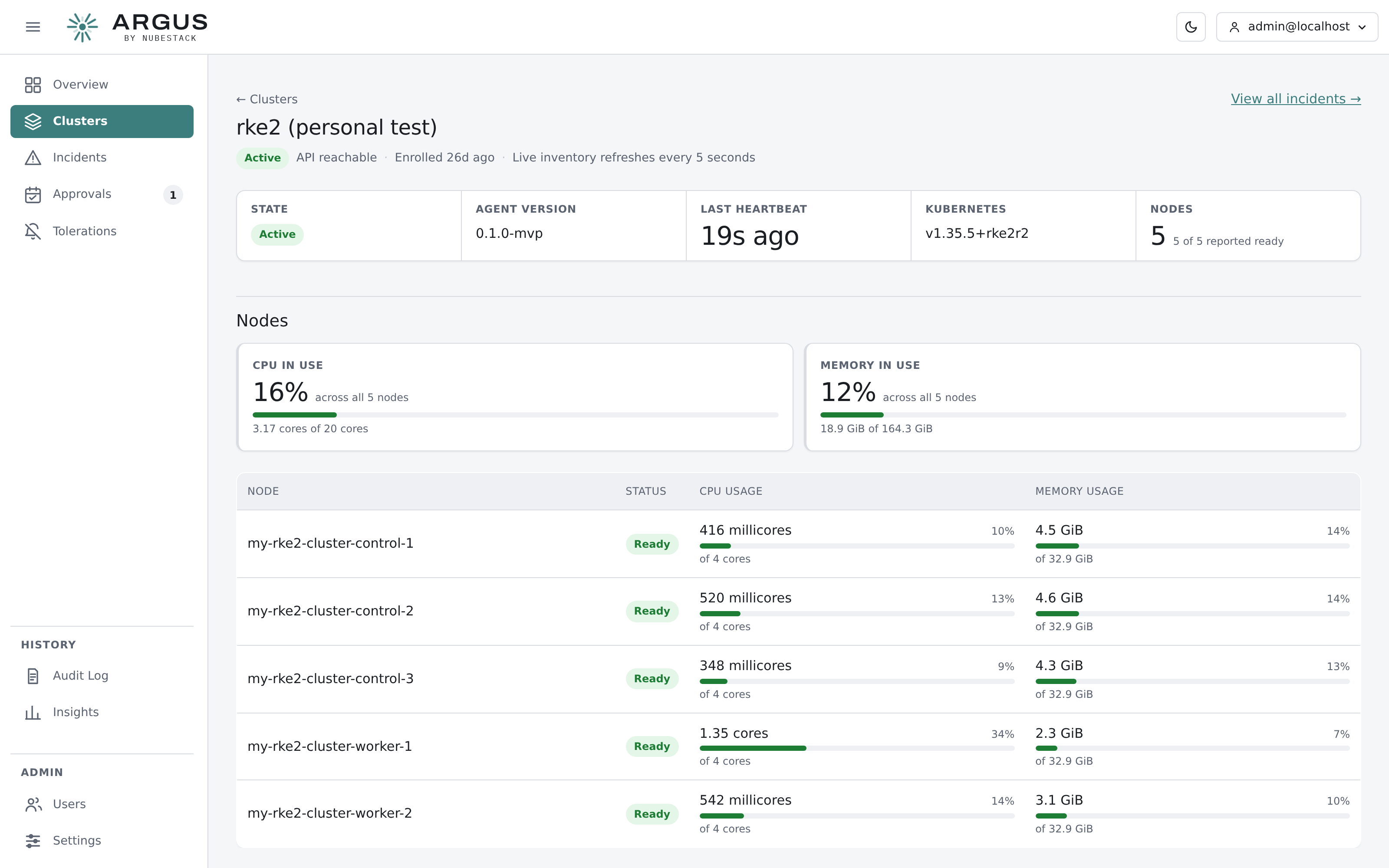
Cluster detail. The remediation card states plainly whether the agent may write, and in which namespaces.
This is where to check whether an agent can actually do what you expect. If remediation looks unavailable on an incident, the answer is usually here.
Renaming
A cluster's display name can be changed at any time. It is a label for people and does not affect the agent's identity or its certificate.
Disconnected clusters
A cluster stops heartbeating when the agent pod is gone, the network is broken, or the tunnel address it enrolled against is no longer reachable. The cluster becomes disconnected; its incidents stay.
An agent that keeps its volume across restarts reconnects on its own with the same identity. An agent that loses its volume has lost its certificate and needs enrolling again.
Changing the hub's tunnel address
Agents pin the address they enrolled against. Changing the hub's tunnel endpoint or its certificate names means existing agents can no longer verify it, and they will reconnect unsuccessfully until the address is restored or they are re-enrolled.
Archiving
Archiving removes a cluster from the active fleet while keeping its history. An archived cluster's agent, if it is still running, is refused when it connects.