Your first incident
A walk through one real incident, from the symptom that opened it to the fix that closed it. This is the loop you will use every day.
Find it
Open Incidents. The list is sorted so the incidents most worth your attention come first, and each row carries the object, the condition, the cluster, the severity and where the incident has reached.
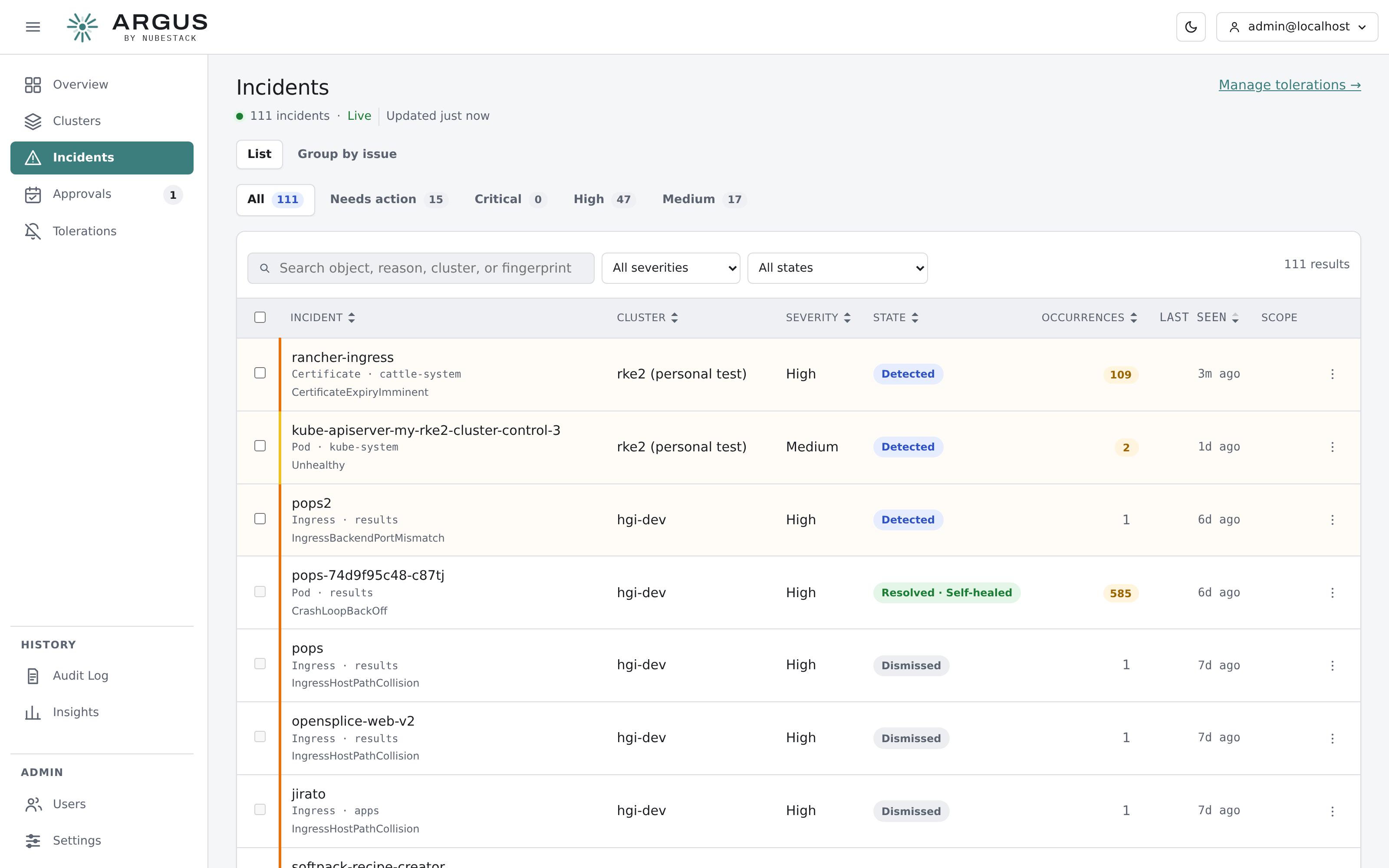
Incidents list. Filters narrow by cluster, severity and state; the quick views cover the common questions, such as what is waiting on a person.
If you would rather not wait for a real fault, a harmless one is easy to induce: deploy a
workload with a container image tag that does not exist. It produces an
ImagePullBackOff within seconds and changes nothing else.
Read what broke
Open an incident. The first card answers one question — what broke — with the object, the condition text from the cluster, and, when a GitOps controller owns the object, which one.
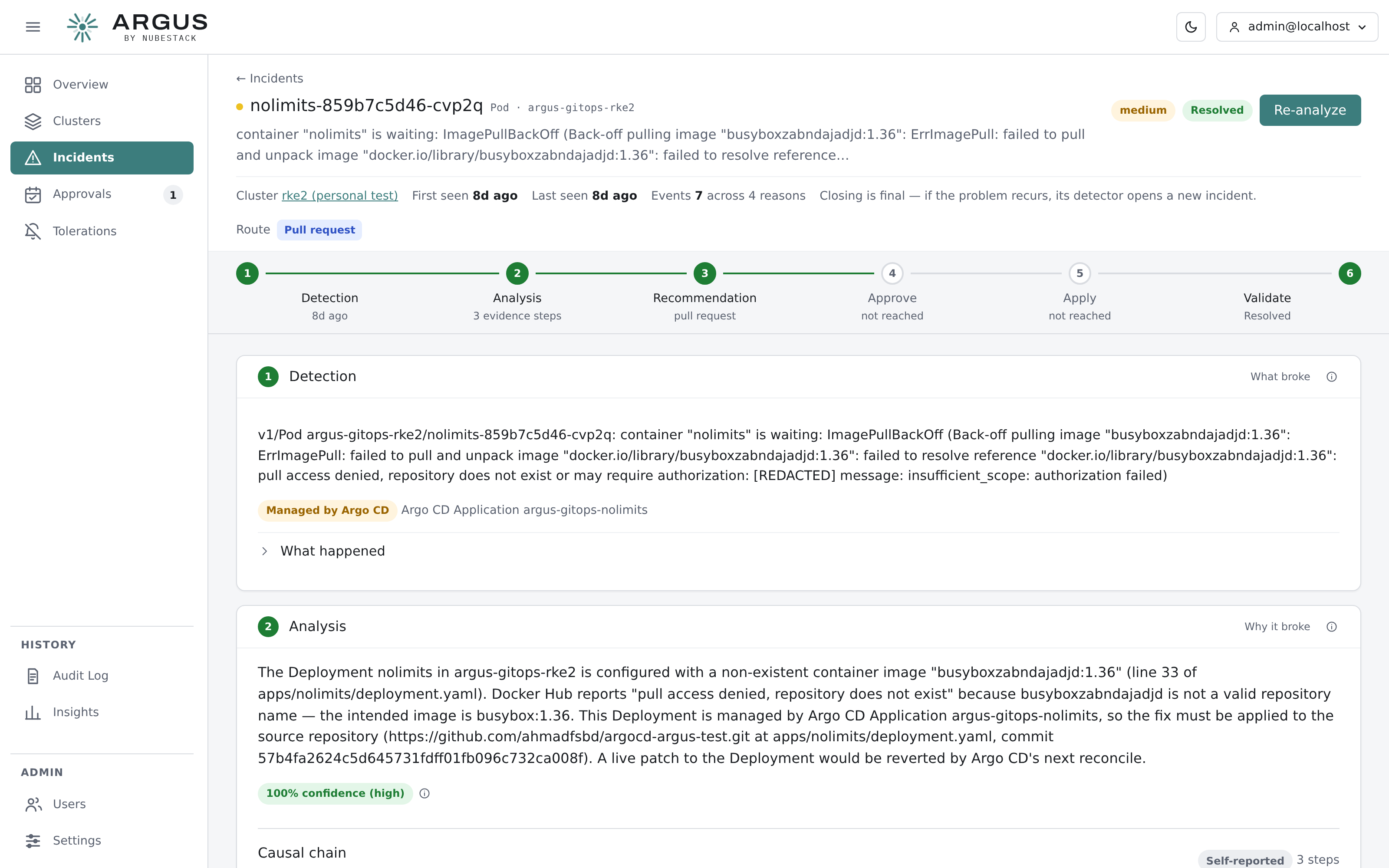
An incident that was detected, investigated, routed to a pull request and resolved. The rail across the top shows how far it got; each numbered card below answers one question.
Investigate
If there is no analysis yet, select Analyze. The investigation gathers live evidence from the cluster and takes anything from a few seconds to a couple of minutes.
You can leave the page. The investigation runs on the hub, not in your browser, and the incident updates when it finishes.
The analysis card then states the root cause, a confidence figure, and the causal chain — every tool call the investigation made, collapsed by default. Open it whenever you want to check a conclusion against the evidence rather than take it on trust.
Read the recommendation
The recommendation card says how the fix reaches the cluster. If the broken object is managed by Argo CD, Flux or a Helm release, the durable fix belongs in your repository and ARGUS says so; changing the cluster directly would be reverted by the next sync.
For most faults there is no automatically executable fix, and the card says that plainly alongside the concrete manual steps the investigation produced. That is a normal outcome.
Approve, if there is something to approve
Where a fix is proposed, the approve card shows the action, its risk, whether it can be reversed, and the rendered change. Read the change, not just the summary, then approve or reject. A rejection records your reason and leaves the incident open.
Watch it close
An applied change does not close an incident. ARGUS waits for the symptom to stay quiet, confirms the change still holds, and checks no related incident is open on the same workload. Only then is the incident resolved.