Users and roles
Every account holds one or more grants. A grant is a role plus the scope it applies to, so "may approve fixes, in this one cluster" is expressible.
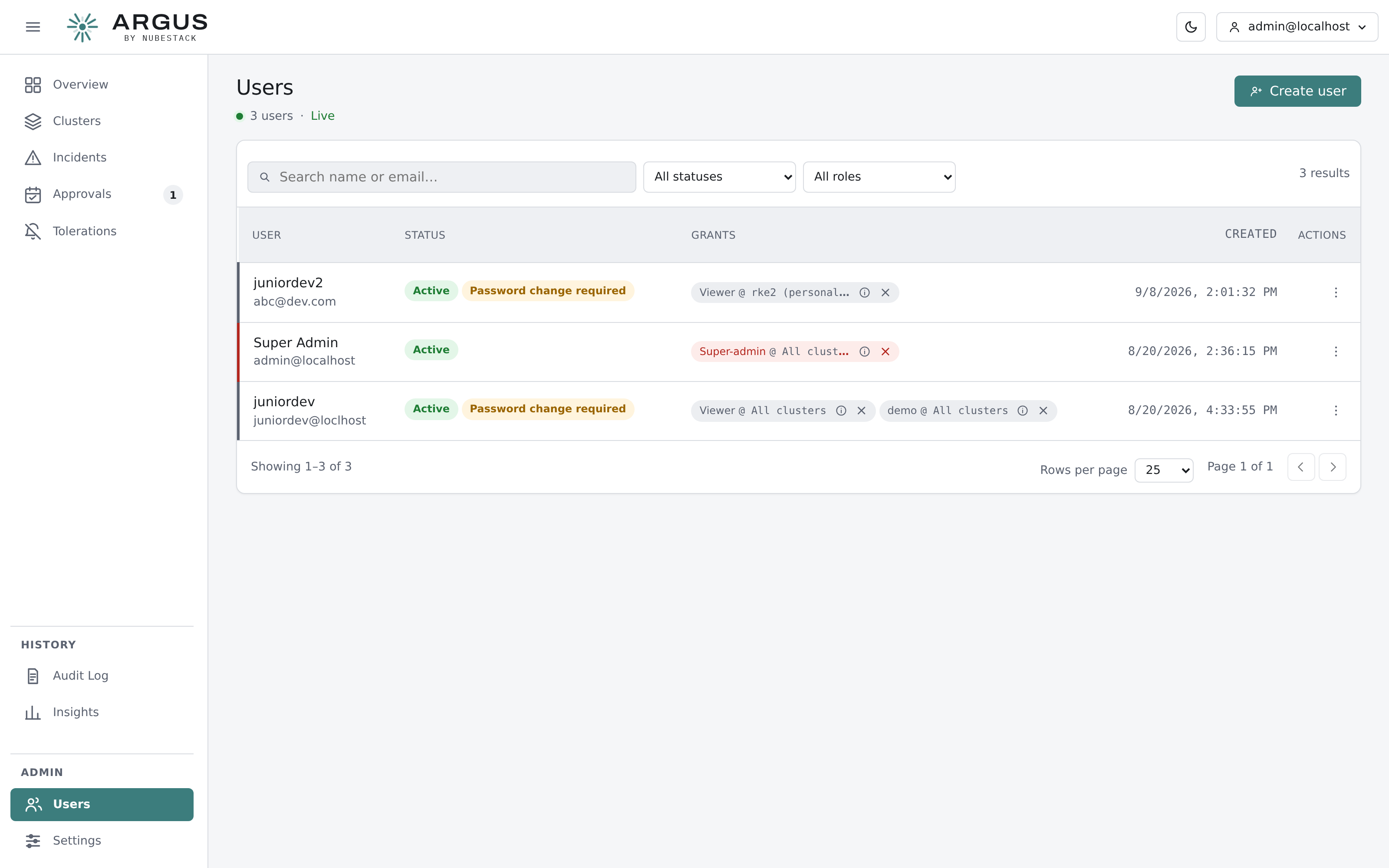
Each account's grants are listed with the scope each applies to. A grant can be removed without deleting the account.
Creating an account
Create accounts from Users. A new account is given an initial password and required to change it at first sign-in.
Disabling an account keeps its history and its grants but refuses sign-in. Prefer disabling to deleting for anyone whose past decisions are in the audit trail.
Grants and scope
A grant answers two questions: what may this person do, and where.
| Scope | Meaning |
|---|---|
| A single cluster | The role applies to that cluster only |
| A cluster group | The role applies to every cluster in that group |
| All clusters | The role applies fleet-wide |
Several grants can be held at once. Someone can be a viewer everywhere and a resolver on the one cluster their team owns.
The five built-in roles
| Role | For |
|---|---|
| Super-admin | Full control, plus the two things no other role can do: read the audit log and change organisation-wide settings |
| Tenant-admin | Full operational control, without audit-log access or settings |
| Resolver | Investigating, approving and applying fixes |
| PR approver | Approving fixes that go through a repository, without live-cluster write |
| Viewer | Reading incidents and analyses |
The Settings → Roles & access page lists exactly what each role can do, grouped by area, read live from the hub's own authorisation catalogue.
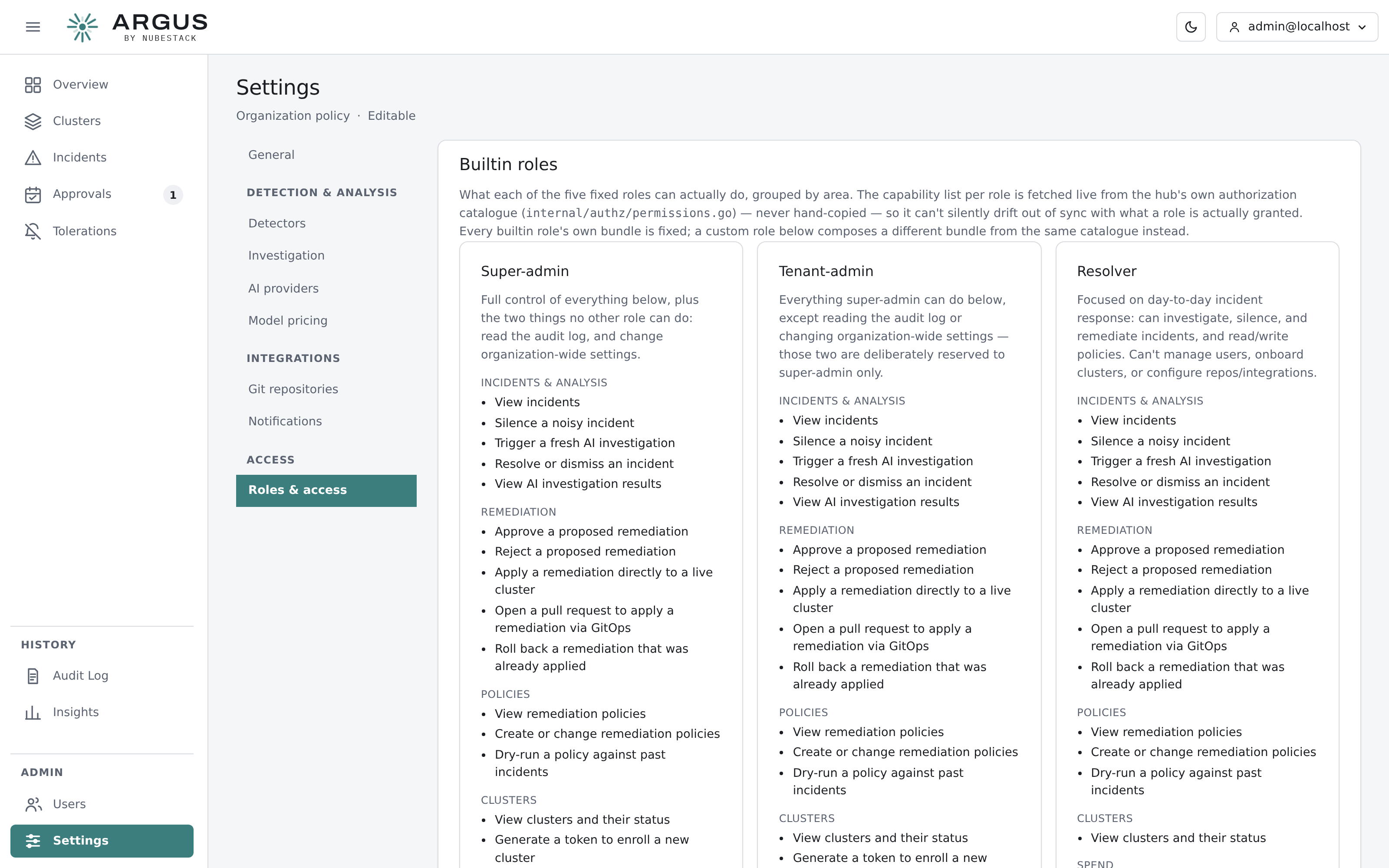
What each role can actually do. The list is generated from the hub's authorisation catalogue rather than maintained by hand, so it cannot drift from what a role is granted.
Custom roles
Where none of the five fits, compose a custom role from the same catalogue of capabilities. Built-in roles have fixed bundles; a custom role is your own bundle.
This is how you express a separation the built-in roles do not: approving a change and executing one in a live cluster are distinct capabilities, and a role can hold either without the other.
Cluster groups
Group clusters so a grant covers a set of them — by environment, by owning team, by region. A grant scoped to a group follows the group's membership, so adding a cluster to it extends existing grants rather than needing each one edited.
Practical advice
Sign in day to day with a named account holding the narrowest role that covers your work, not with the bootstrap super-admin. Reserve super-admin for the two things it alone can do.
Grant fleet-wide scope sparingly. Most people need one cluster or one group.