Connect a cluster
Connecting a cluster takes four steps: create a token, install the agent, accept the cluster, confirm the heartbeat. The hub never needs your kubeconfig — the agent dials out.
1. Create an enrolment token
On Clusters, select Enroll a cluster. The token is single-use and short-lived: it authorises exactly one agent install.
2. Install the agent
Install the agent chart into the cluster you want watched, in its own namespace, passing the hub's API address and the token. The guided card on the overview shows the exact command with the token already filled in, ready to copy.
Two values have to be right:
| Value | Requirement |
|---|---|
| Hub API address | Reachable from inside the cluster. Not localhost for a remote cluster |
| Persistence | Leave enabled, so the agent keeps its certificate across pod restarts |
The agent presents the token on first contact and receives its own client certificate in return. The token is then spent.
One command instead of several
argusctl cluster add --context <kube-context> drives the whole sequence — issue a
token, install the chart, wait for check-in, accept the cluster — from the command
line.
3. Accept the cluster
A newly enrolled cluster appears as pending. Accepting it is what allows its tunnel to carry data. Until then the agent is connected but ignored, which gives you a deliberate moment to confirm the cluster is the one you meant.
4. Confirm the heartbeat
The cluster becomes Active once its tunnel is up and it is reporting. The Clusters page shows state, agent version, open incident count and last heartbeat.
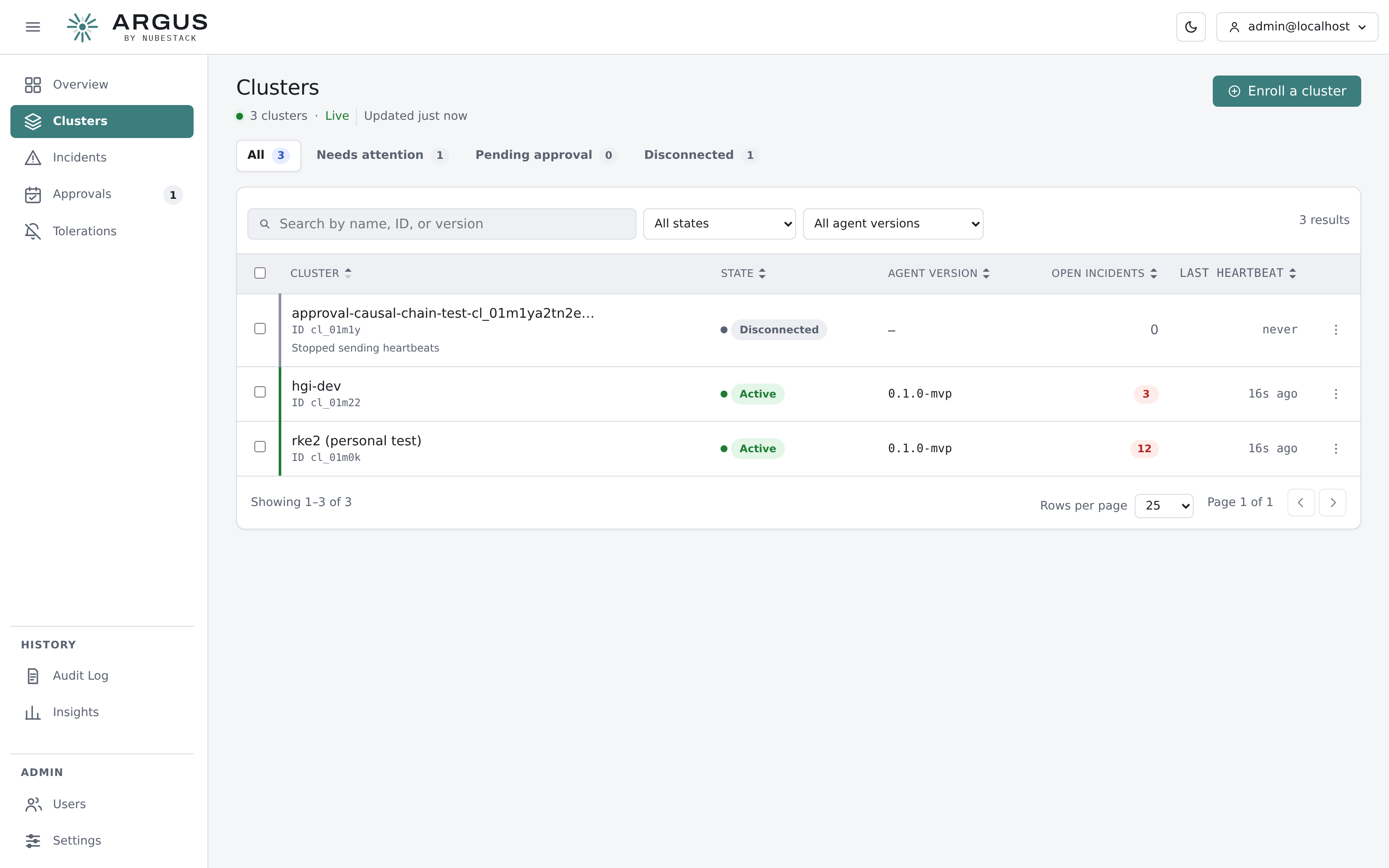
Clusters list. Filters cover state and agent version; the counters above the table pick out clusters needing attention.
Findings normally start arriving within a minute or two. A healthy cluster with nothing wrong produces no incidents, which is the correct outcome rather than a sign of a problem.
Enabling remediation
Agents install read-only, and that is enough for detection and investigation. To let ARGUS execute approved fixes in a cluster, reinstall or upgrade the agent with remediation enabled and an explicit list of namespaces it may write in.
An empty namespace list means the agent can write nowhere. Cluster-wide write scope is available and should be a deliberate decision rather than a default.