Data retention
ARGUS keeps everything forever unless you set a window. Configure retention under Settings → General.
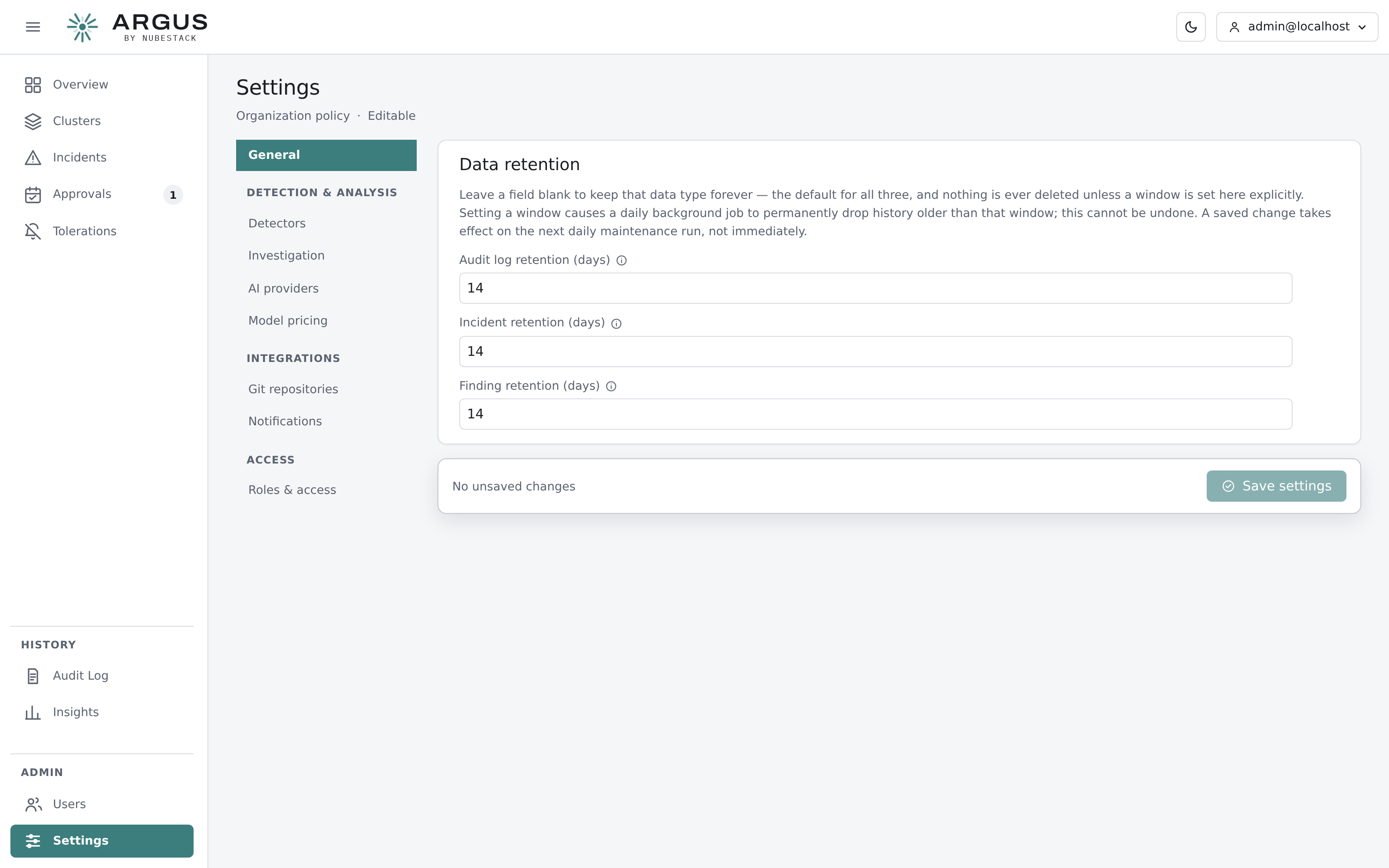
Three independent windows. Blank means keep forever, which is the default for all three.
The three windows
| Window | Covers |
|---|---|
| Audit log retention | The hash-chained record of consequential actions |
| Incident retention | Incidents and their analyses, plans, approvals and executions |
| Finding retention | Raw findings — the highest-volume data ARGUS stores |
Leave a field blank to keep that data indefinitely. Nothing is ever deleted unless a window is set here explicitly.
What setting a window does
A daily maintenance job permanently drops history older than the window.
Deletion cannot be undone
There is no recovery from a retention window other than a database backup taken before the job ran. Set a window you are sure about, and make sure your backups predate it.
A saved change takes effect at the next daily maintenance run, not immediately.
Choosing windows
Findings are the volume. A cluster with a noisy namespace can produce tens of thousands in a fortnight. If disk is a concern, this is the window to set first — findings are evidence for incidents that are usually long closed.
Incidents are the history you would want when asking whether a fault has happened before. Keep them longer than findings.
Audit records are the ones an auditor asks for. Consider your own obligations rather than disk: this is usually the longest window, and often the one that should stay blank.