The object panel
Select any Kubernetes object named in ARGUS — on an incident, the map, a search result, a timeline — and it opens in a side panel over the page you are on. The panel reads the object live from its cluster.
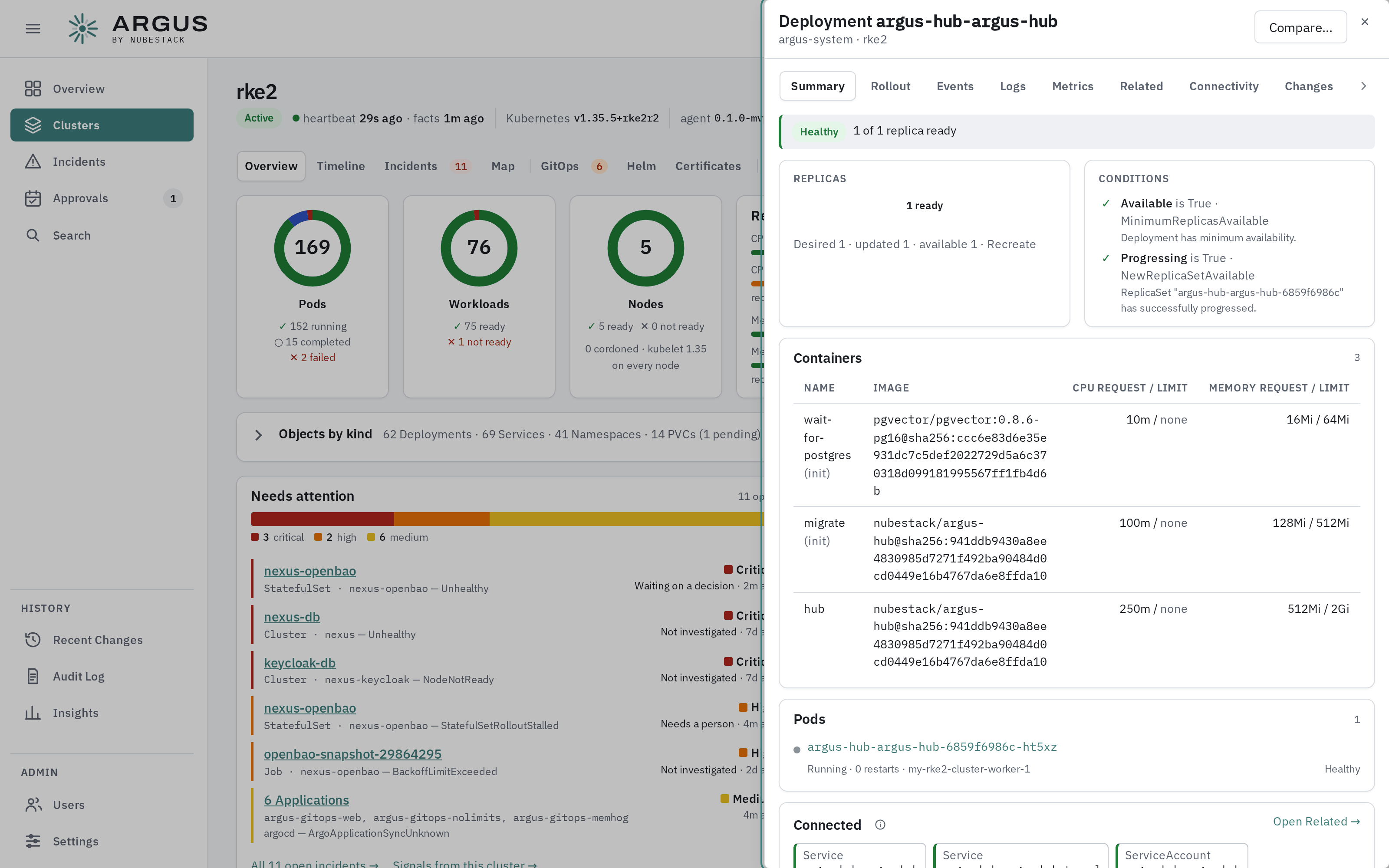
The panel keeps the page behind it. Its tabs follow the kind of object: a deployment leads with its rollout, a pending pod with scheduling.
Tabs
| Tab | Shows | Offered for |
|---|---|---|
| Summary | Health, replicas, conditions, containers with requests and limits, its pods and what it connects to | Every object |
| Events | The object's events, newest first | Every object |
| Logs | Container logs, with a container picker | Pods and workloads |
| Metrics | CPU, memory, restarts and throttling | Pods and workloads |
| Related | What it owns, uses and is reached by, as a graph | Every object |
| Connectivity | Whether traffic sent at it reaches a ready pod, and which hop breaks first. Probe it now resolves the Service name, connects to its cluster IP and up to five ready endpoints, and sends one HTTP request where the port looks like HTTP, from the agent's own pod; only status comes back, never a response body | Services, ingresses, routes, pods and workloads |
| Changes | Its recorded changes | Every object |
| Rollout | Whether a rollout can proceed without losing availability | Deployments |
| Autoscaler | Why an autoscaler is or is not scaling | Autoscalers |
| Scheduling | Why a pending pod will not schedule, and on a cluster running Karpenter, whether each NodePool could provision a node for it | Pending pods |
| Drain impact | What draining the node would do: pods evicted per workload, workloads left with no ready replica elsewhere, disruption budgets that would hold the drain, emptyDir data lost, pods with no controller, and DaemonSet pods that stay |
Nodes |
| Helm, GitOps | The release or application that owns it | Objects with an owner |
| Permissions | What its service account may do, and through which bindings | Service accounts and the workloads that use them |
| Policy | Policy-engine findings against it | Every object |
| YAML | The object as the agent read it | Every object |
The YAML, logs and events have been redacted inside the cluster before they left it: environment values, Secret data and credential-shaped text are removed.
Metrics
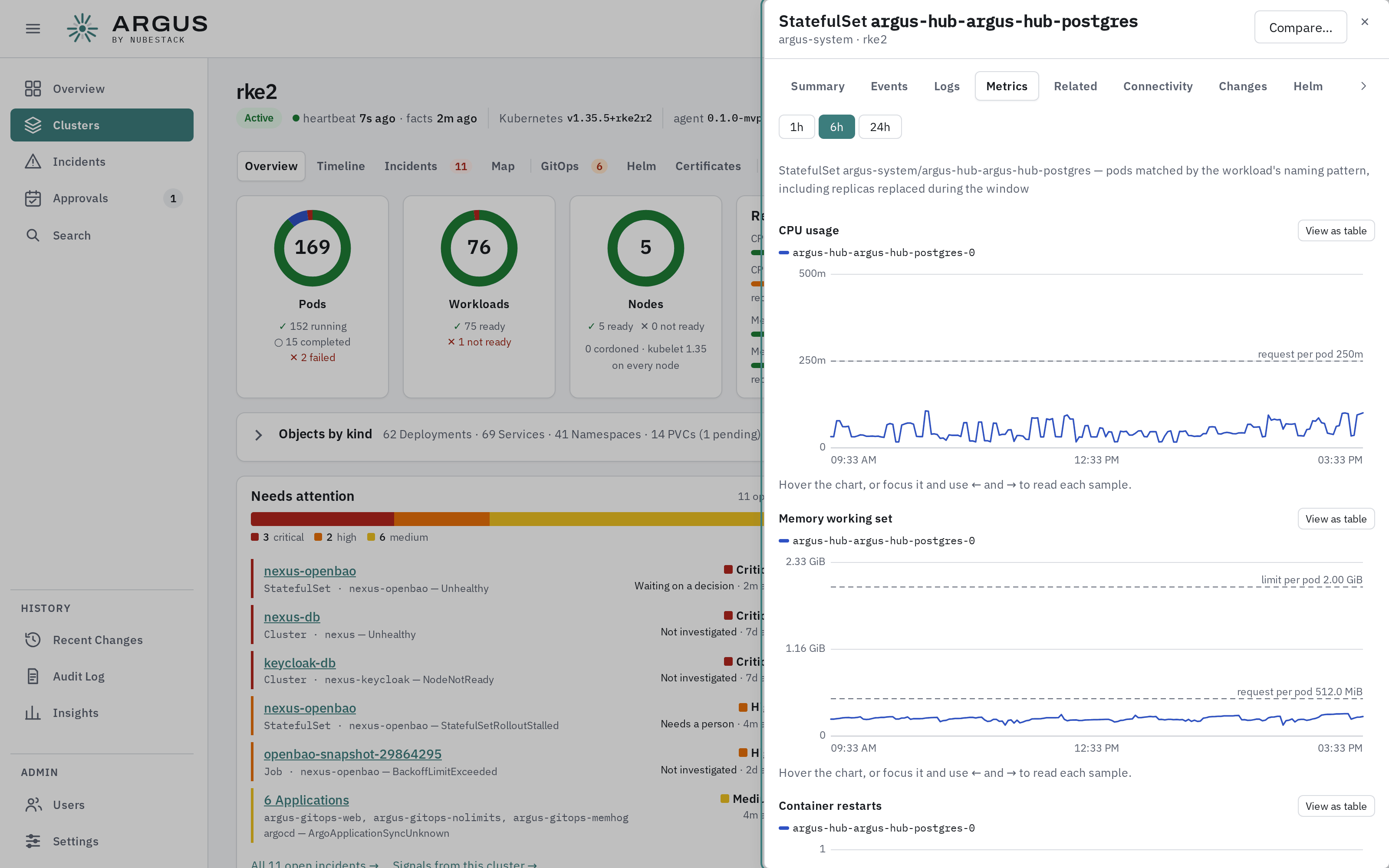
Each pod's usage, with its request and limit drawn as lines to read it against.
Metrics needs the agent's Prometheus connection; without one, the tab says so. Choose 1h, 6h or 24h. For a workload, every pod it ran during the window is charted, including replicas replaced by a rollout. Each pod's CPU and memory request and limit are drawn as lines when every container sets them, and the object's recorded changes are marked on the time axis.
Moving around
Select an object inside the panel to open it in place. Compare… opens the object on the compare page, ready to pick a second one. The open panel and tab are part of the address, so a copied link opens the same view.