The incident list
Incidents is the queue: every incident ARGUS has opened, filtered to the ones you care about now. It opens on Open, the incidents whose lifecycle is not over.
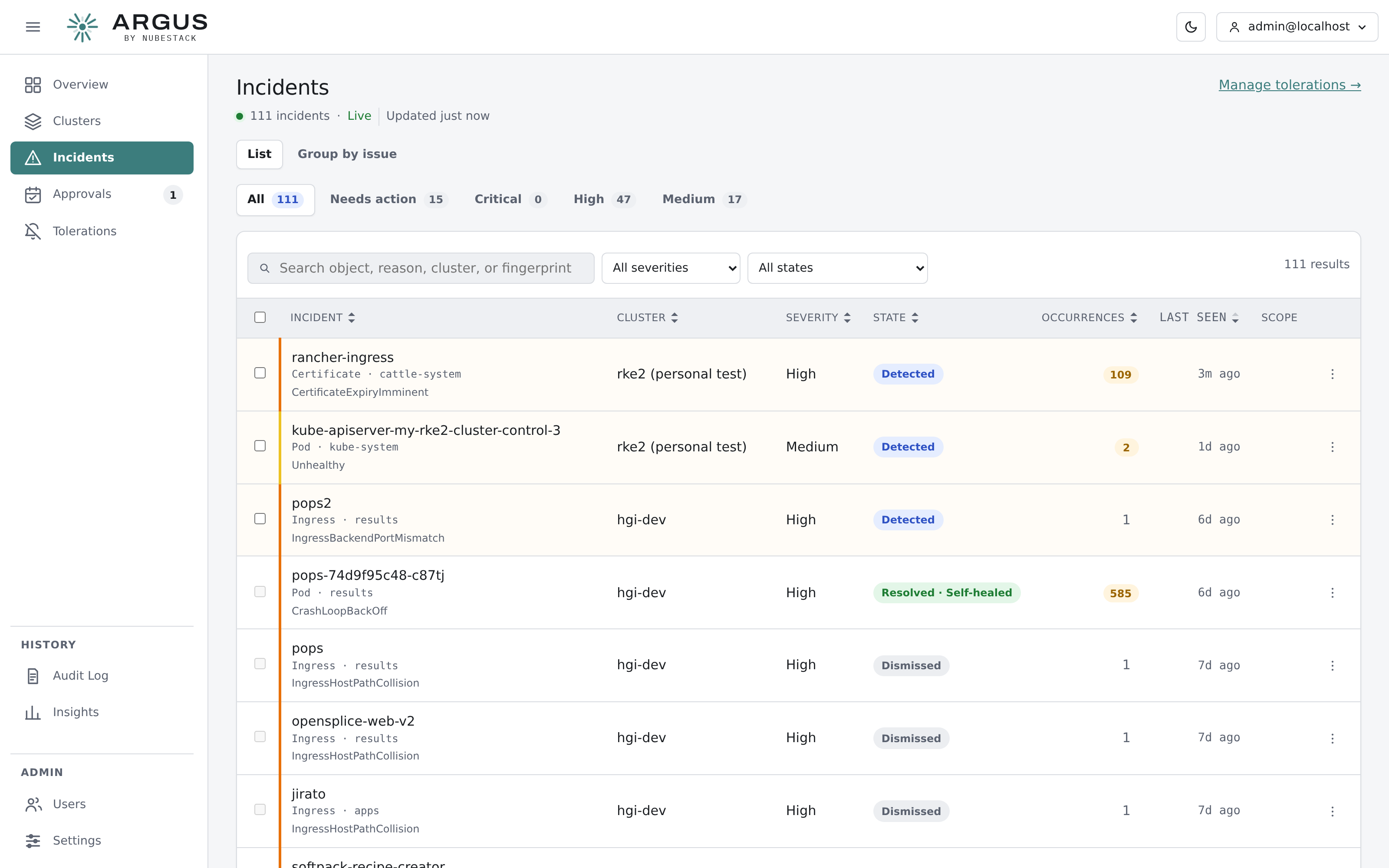
Status tabs across the top, each with its count. Severity, state and cluster narrow within the tab.
Status tabs
| Tab | Shows |
|---|---|
| Open | Needs action and In progress together. The default |
| Needs action | Incidents where nothing happens until a person acts |
| In progress | Incidents where ARGUS or a reviewer has the next move |
| Closed | Resolved, dismissed and expired incidents |
| All | Every incident |
Incident states lists which state belongs to which tab.
Filters
| Filter | Narrows to |
|---|---|
| Search | Text in the object name, namespace, reason, cluster or fingerprint |
| Severity | Critical, high, medium or low |
| State | One state inside the chosen tab |
| Cluster | One cluster |
Every number on the page counts what that control would show given the other filters, the search included: with High selected, each tab counts only high-severity incidents, and each severity option counts within the chosen tab. Clear filters returns to the default view. Filters, sort and page are part of the address, so a copied link reproduces the view.
Reading a row
Each row names the object and its kind and namespace, the condition, the cluster, the severity as a coloured edge and a word, the state, the route, how many detections stand behind it and when it was last seen. Sort by any column with a sortable header.
Several pods of one workload with the same fault appear as one row naming the workload and how many incidents it stands for. Expand it to see each one.
Acting on several at once
Select rows to Dismiss… them together with one note. Incidents being investigated or executed, and incidents already closed, cannot be selected.
Live updates
The list refreshes as incidents change. New incidents that arrive while you are scrolled down are held behind a new — show bar rather than moving the rows under you.
| Key | Action |
|---|---|
| J / K | Move to the next or previous row |
| Enter | Open the focused incident |